How To Play


Before Booking....
Learn how to play the game
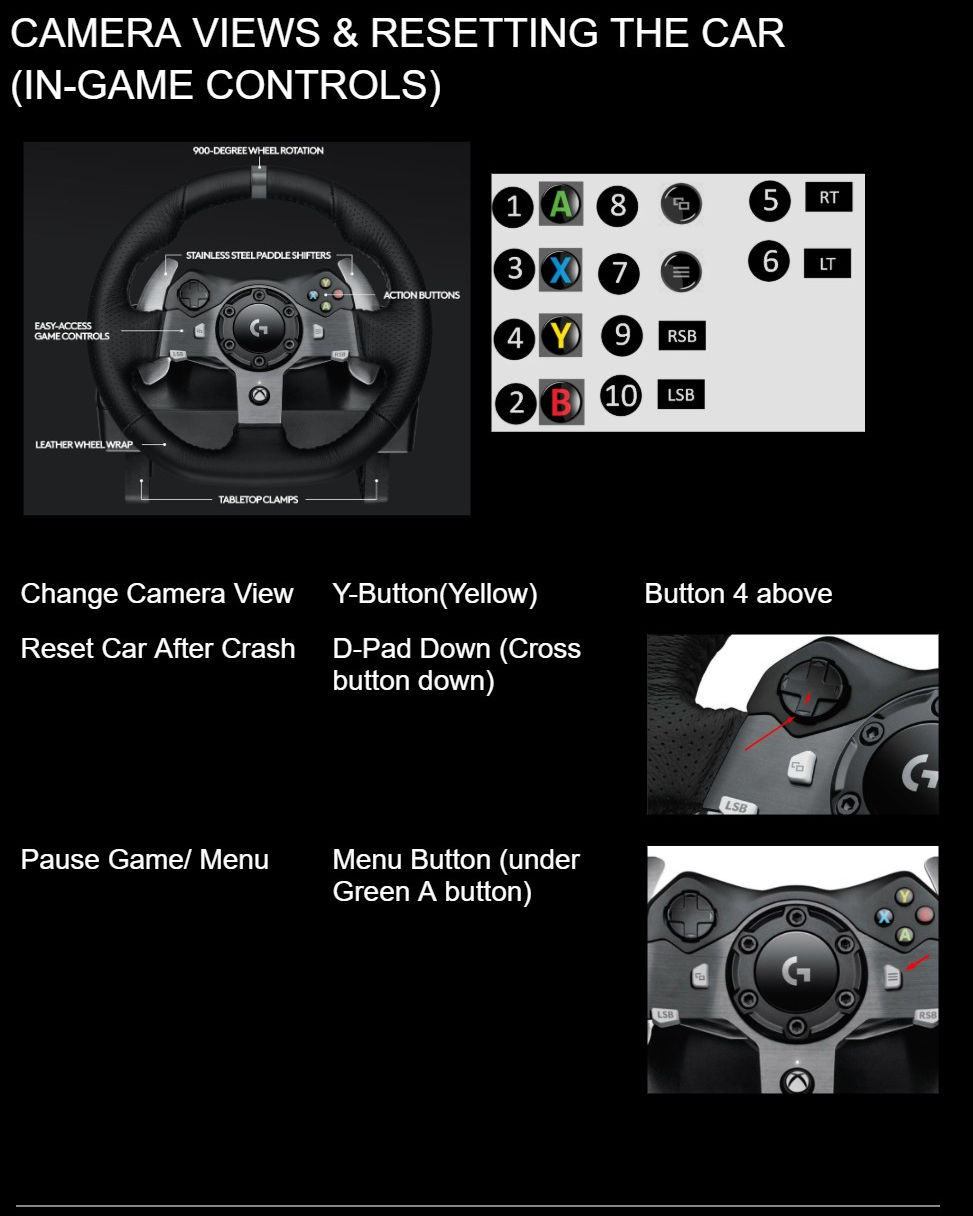
Learn how to reset the car after you crash and change your camera view. Know how to play the game before you book your race. This is a very realistic racing simulator and we would like you to be ready to play for the best experience possible and no time is wasted.
Super Helpful Video
*IMPORTANT*
Don't Forget your QR Code to check in at the race station at your booking time. (Bookings go with or without you). Questions? Keep reading below.
How to change race course and cars...keep reading below (optional)
How to drive Automatic and Manual...keep reading below (optional)
How to Check-in with your QR Code
Use your personal QR Code accessable from your My Race Hub page on your member profile to check in at the race station at your booking time. The QR code will veryify your booking, check you in and upload your recorded race videos to your personal google drive folder see how you place against other racers. Book and pay for race sessions, and check into the race station.

How To Drive Automatic And Manual

How To Change to Automatic or Manual

How To Change Race Course or Cars

How to Edit Your Race Video

Download your race video from your personal google drive folder accessible on your My Race Hub member page. Edit your video (ClipChamp PC, iMovie Mac, etc...)
How To Upload Your Race Video

Upload your edited race videos to youtube and copy paste the links on the uploader on your edit profile member page and instantly share them on both your public profile page and the community race feed visible in My Race Hub.
Make a member account
To book a race you need to make a member account by selecting login in the top right corner from any page of the website.
